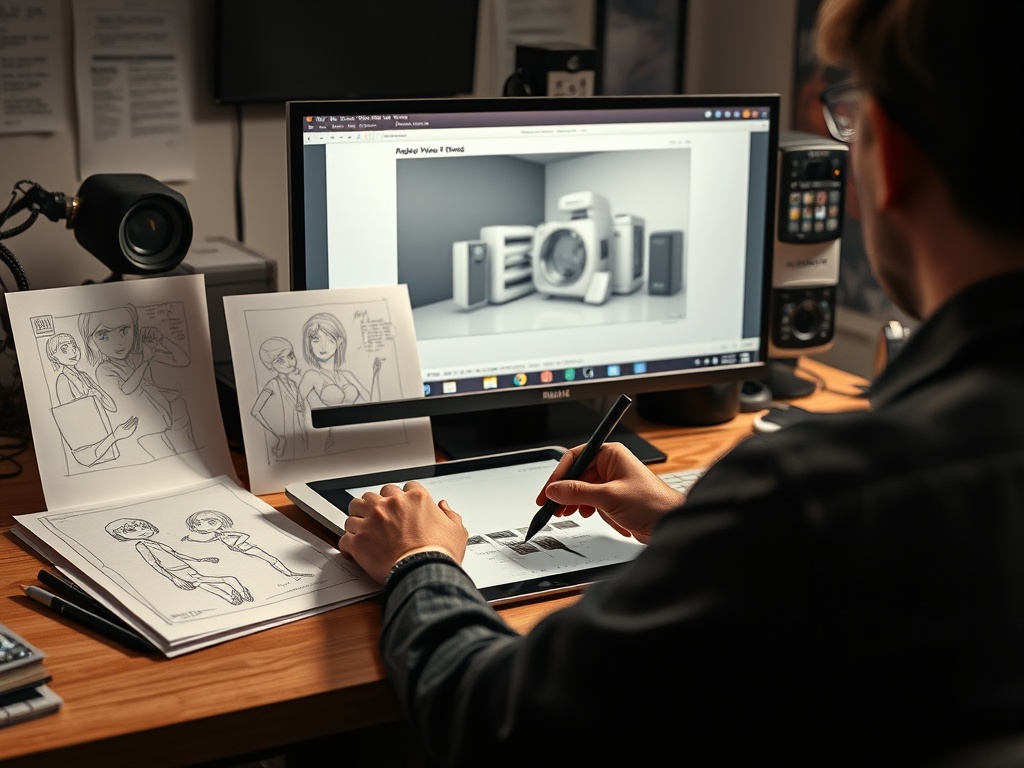
2D animation builds movement mainly in a flat image plane, while 3D animation uses digital models that can be posed, lit, and rendered in virtual space. The choice changes not only the look, but also the workflow, budget structure, revision process, staffing, and what kinds of visual problems are easiest to solve.
Decision snapshot: Choose 2D when graphic style, drawn expression, stylized timing, or painterly design is central. Choose 3D when spatial continuity, camera movement, repeatable assets, lighting control, or product-like realism matters more.
What the difference really means
The difference is not simply “flat versus realistic.” Many 2D projects use depth, multiplane effects, compositing, and digital tools. Many 3D projects are stylized, graphic, or deliberately non-realistic. The real difference is how the image is constructed.
In 2D, artists create drawings, rigs, backgrounds, shapes, or painted elements that move across frames. In 3D, artists create models, skeletons, materials, lights, cameras, and simulations inside a virtual environment. CG Spectrum’s overview of the animation pipeline and LucidLink’s guide to animation workflow stages both show that animation is a chain of decisions, not one magic software step.
How production choices shape the final image
A 2D production often keeps the hand of the artist visible. Line quality, smear frames, shape language, color blocking, and graphic composition can become part of the emotional tone. A character can squash, stretch, simplify, or exaggerate in ways that feel expressive rather than physically literal.
A 3D production often gives more control over camera movement, depth, lighting, and reusable assets. Once a character model and rig are built, teams can pose that character across many shots. That does not make 3D cheap, but it changes where the effort sits. Time goes into modeling, rigging, surfacing, layout, animation, lighting, rendering, and compositing.
Cost and convenience are not automatic
Many beginners assume 2D is cheaper and 3D is expensive. That can be true, but not always. A simple 3D product animation using existing assets may be efficient. A complex hand-drawn 2D sequence with detailed characters, effects, and backgrounds may be costly. A 3D project can save time if assets are reused across episodes, ads, or game content. A 2D project can move faster if the visual language is simple and the team is experienced.
The cost question depends on length, style, asset complexity, revisions, rendering needs, team skill, deadlines, and how many deliverables are required. A brand film, music video, explainer, short film, game cinematic, and streaming series each have different production economics.
Side-by-side comparison
| Factor | 2D animation | 3D animation |
|---|---|---|
| Visual personality | Strong graphic and drawn identity | Strong spatial, material, and camera control |
| Asset reuse | Possible through rigs and libraries | Often high once models and rigs exist |
| Revisions | Can be fast for simple changes, hard for redrawn scenes | Can be efficient after setup, hard if models or rigs change |
| Camera movement | Stylized or limited unless heavily planned | More flexible in virtual space |
| Texture and lighting | Painted or composited | Material, light, and render based |
| Best fit | Expressive characters, stylized stories, graphic explainers | Product visuals, spatial action, games, realistic or hybrid worlds |
Quality depends on intent
A good 2D film does not need to imitate 3D depth. A good 3D film does not need to imitate live action. The final look succeeds when the production method supports the project’s intent.
For example, a children’s series may use 2D shapes because simple silhouettes read quickly. A museum installation may use 3D because visitors need to see an object from multiple angles. A music video may mix both to create contrast. A brand might use 3D for a product render and 2D for character-driven humor.
This is why “which is better” is usually the wrong question. The better question is: which pipeline protects the parts of the image that matter most?
Revision traps to avoid
The first trap is approving style frames without understanding motion. A beautiful still image may be hard to animate. The second is changing character proportions after rigging has started. That can force expensive rework. The third is requesting “make it more realistic” late in a stylized project. Realism is not a slider; it affects modeling, textures, lighting, animation, and rendering.
For 2D, late changes can mean redrawing many frames or reworking rigs. For 3D, late changes can mean rebuilding geometry, reweighting rigs, rerendering, or fixing simulations. Both pipelines reward clear decisions early.
Licensing and asset ownership
Production choices also affect rights. Who owns character designs, rigs, source files, models, textures, and final renders? Can the client reuse assets in ads, games, merchandise, or future episodes? The answer should be defined in writing. The guide to commercial use in illustration licensing is directly relevant because animation uses many licensed creative assets.
A client may receive a finished video but not the source files. Or a studio may license a character design for one campaign, not unlimited future use. Those terms should be discussed before production begins.
How the audience sees the difference
Audiences often respond to style before they understand workflow. They may describe 2D as warm, graphic, nostalgic, expressive, or handmade. They may describe 3D as immersive, polished, cinematic, tactile, or game-like. Those are broad impressions, not fixed truths. Skilled teams can subvert them.
The reaction also depends on context. A fandom may analyze production choices frame by frame, while casual viewers may only notice whether the story works. The article on fan community versus casual audience reactions helps explain why production details matter more to some audiences than others.
Red flags before choosing a pipeline
Be careful if a proposal says 3D will be faster without explaining asset setup. Be careful if a 2D proposal promises high-detail character animation on a very small timeline. Be careful if the team cannot show samples close to the desired look. Be careful if no one has discussed revisions, source files, rendering time, or delivery formats.
Also be careful with mixed pipelines. Hybrid 2D and 3D can look beautiful, but only if compositing, line treatment, frame rate, lighting, and camera logic are unified. Otherwise the image can feel mismatched.
A practical decision path
Start with the viewer’s experience. Should the final look feel drawn, graphic, loose, and expressive? Start by exploring 2D. Should it feel dimensional, reusable, camera-driven, or product-accurate? Start by exploring 3D. If the project needs both, plan the hybrid look from the beginning rather than adding one style as decoration.
A good production choice makes the final image feel inevitable. The audience may never know how the work was built, but they will feel when the method supports the story.